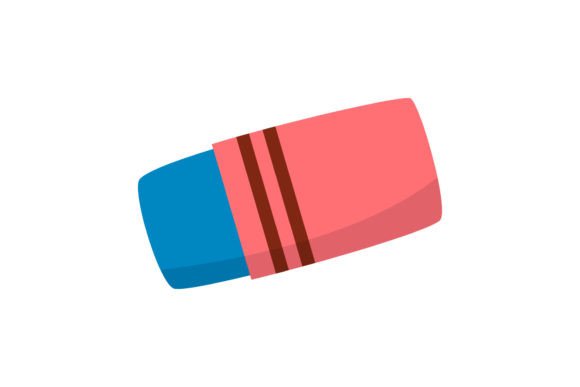
Back to School Eraser Icon
A Back to School Eraser Icon is a digital graphic asset designed to visually represent the concept of erasing, correcting, or starting fresh—specifically themed around the back-to-school season. It typically features stylized eraser imagery (e.g., pink rubber erasers, pencil-topped erasers, or playful variations) combined with school-related motifs such as notebooks, pencils, apples, or chalkboard textures. Unlike generic eraser icons, this version carries seasonal relevance, making it suitable for educational marketing, classroom resources, teacher appreciation materials, or student-facing digital tools.
People often seek this type of icon when building or updating visual content tied to academic transitions—such as welcome banners, lesson plan templates, printable worksheets, or website graphics for tutoring services, school supply brands, or educational nonprofits. Its thematic alignment helps reinforce messaging about learning, revision, growth, and new beginnings—all common themes at the start of an academic year.
Why Consider a Back to School Eraser Icon?
There are several practical reasons someone might evaluate a Back to School Eraser Icon for use in their projects:
- Thematic consistency: When designing materials for late summer or early fall, using seasonally appropriate icons improves visual coherence and audience recognition.
- Symbolic utility: An eraser conveys ideas like correction, flexibility, iterative learning, and second chances—concepts relevant to both educators and students.
- Design efficiency: A ready-made, professionally crafted icon saves time compared to creating one from scratch, especially for non-designers or those working under tight deadlines.
However, interest alone doesn’t guarantee suitability. Evaluating whether this specific Back to School Eraser Icon aligns with your needs involves examining format support, scalability, editing flexibility, and intended application context.
What You Receive: Format Coverage and Practical Implications
This particular Back to School Eraser Icon is delivered in six file formats across a consistent 1920px × 1280px canvas size:
- AI (Adobe Illustrator): Best for users who need full vector editability—including adjusting paths, colors, layers, and typography within Adobe Creative Cloud.
- EPS: A legacy vector format compatible with older design software; useful for print workflows but less flexible than AI for modern editing.
- SVG: Ideal for web use—scalable without quality loss, supports CSS styling and animation, and integrates cleanly into HTML/CSS projects.
- DXF: Primarily used in CAD and CNC applications; relevant if you’re cutting physical versions (e.g., vinyl decals, laser-cut classroom signs).
- JPG: Raster format with broad compatibility; suitable for presentations or social media where transparency isn’t required.
- PNG: Also raster-based but includes alpha transparency, allowing seamless placement over colored or textured backgrounds.
This multi-format approach increases versatility. For example, a teacher creating Google Slides lessons may rely on the PNG; a curriculum designer building a responsive education website may prefer SVG; and a small business producing custom classroom stickers may use DXF for cutting machines. Still, users should confirm that their software supports each format—and understand that raster files (JPG, PNG) do not scale infinitely without pixelation.
When This Icon Is a Strong Fit
A Back to School Eraser Icon works well in scenarios where:
- You’re developing branded educational materials (e.g., editable PDF worksheets, Canva templates, or LMS course banners) and want cohesive, on-theme visuals.
- Your workflow requires interoperability across platforms—such as moving from desktop publishing (AI/EPS) to web deployment (SVG) to physical production (DXF).
- You value time savings without sacrificing control—especially if you have basic vector editing skills and want to adjust colors, size, or layout elements.
- The icon’s visual style matches your broader design system (e.g., flat design, minimal line art, or playful illustration)—since aesthetic mismatch can weaken overall communication.
When Alternatives May Be Worth Considering
Not every project benefits equally from this Back to School Eraser Icon. Consider alternatives if:
- You need multiple related icons: A single eraser icon may not suffice if your project calls for a full set—like a pencil, notebook, backpack, and ruler—to maintain visual balance. In such cases, a coordinated icon pack offers better consistency.
- Your use case demands strict accessibility compliance: While SVG supports ARIA labels and semantic markup, some pre-made icons lack proper structure or contrast. If WCAG conformance is critical (e.g., for public school district websites), verify that the icon meets contrast ratios and can be meaningfully described via screen readers.
- You require custom licensing: Standard licenses may restrict redistribution or commercial resale. If you plan to include the icon in a product you sell (e.g., a premium Canva template shop), review the license terms carefully—or consider commissioning original artwork.
- Your audience spans diverse age groups or cultural contexts: Erasers carry different associations globally—some regions associate them more with error than opportunity. In multilingual or international educational settings, simpler, more universal symbols (e.g., checkmarks, arrows, or open books) may communicate more reliably.
Making an Informed Decision
To determine whether this Back to School Eraser Icon serves your goals, ask yourself three questions:
- What is my primary output medium? If most of your work happens online, prioritize SVG and PNG. If you regularly prepare print-ready documents or physical signage, AI, EPS, and DXF become more valuable.
- Do I need to modify the icon beyond resizing or recoloring? Complex edits—like adding text inside the eraser shape or merging it with other vectors—require AI or EPS access and familiarity with vector tools. If you only need static placement, JPG or PNG may be sufficient.
- How does this icon support my message? Does “erasing” meaningfully connect to your content? For instance, it fits naturally in a “review and revise” lesson plan—but may feel forced in a “first-day-of-school celebration” poster unless paired thoughtfully with complementary visuals.
Finally, keep expectations realistic. This is a single-purpose graphic—not a design system, not a font, and not a plugin. Its value lies in focused utility: delivering a clear, scalable, seasonally resonant representation of correction and renewal in education. Used intentionally, it contributes to clarity and cohesion. Used without alignment to purpose or audience, it risks becoming decorative noise.
If your work centers on supporting learners and educators during academic transitions—and you need a reliable, adaptable visual shorthand for growth through revision—this Back to School Eraser Icon is a practical option worth evaluating alongside other thematic assets.